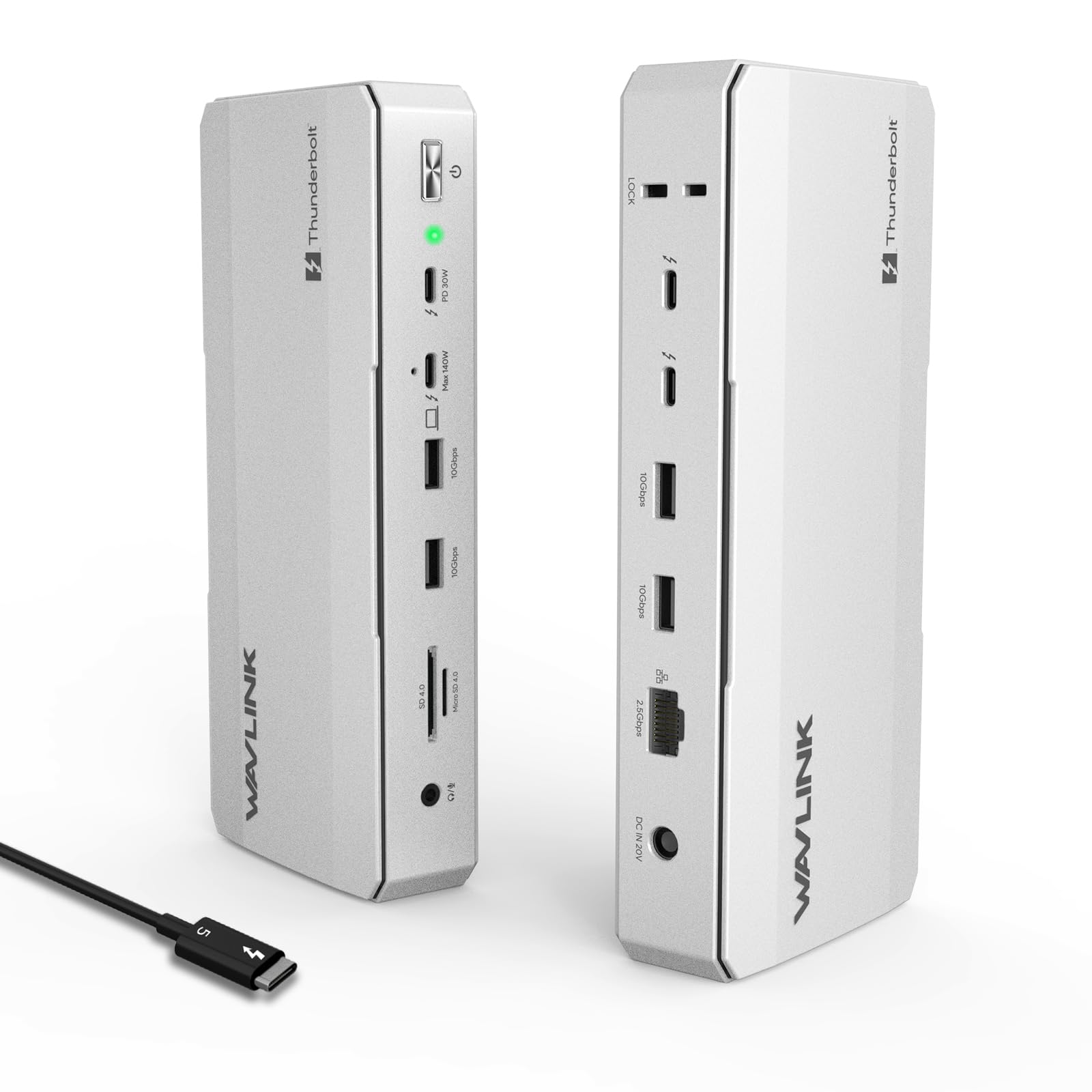
12-in-1 Thunderbolt 5 Dock - You may know about Thunderbolt 5, but have you ever experienced the latest Thunderbolt 5 technology dock? No? Try this, thunderbolt 5 dock! It is equipped with 1x Upstream Thunderbolt 5 Port (120Gb/s, 140W), 3x Downstream Thunderbolt 5 Ports (80Gb/s; PD15W;PD30W), 1x 2.5G RJ45 Ethernet, 4x USB-A 3.2, 1x SD 4.0, 1x 3.5mm Audio/Mic, 1x Kensington slot . Latest technologica, just start! Crazy Expansion Experience - Cool! Single display 8K@144Hz, dual display 8K@60Hz, better and clearer picture quality than in the cinema! Cool! Triple display 4K@144Hz, no delay, no frame drop for stocks, meetings, video production, enjoy the ultimate smoothness and efficiency! Triple external display requires a Windows 11 (or later) PC with a Thunderbolt 5 port. macOS systems just support dual external displays through this thunderbolt hub. Crazy Transmission Experience-Thunderbolt Docking Station Edition, This thunderbolt 5 hub equipped with four thunderbolt 5 ports, the uplink port can provide 140W output power to the computer, and the downlink port can provide 80Gbps data transmission. An integrated SD V4.0 card reader supports blazing-fast speeds of up to 312 MB/s, 2.5G RJ45 Ethernet lightning-fast and lag-free connectivity. No other feeling, just fast, more fast, crazy fast! Crazy Exquisite Designs - One Kensington lock prevents theft of the device. Two USB-A are reserved for your wireless mouse and keyboard. Three downstream Thunderbolt 5 ports also offer 15W&30W power delivery to keep multiple devices charged simultaneously. Four anti-slip design to prevent accidental movement. Note - Your computer C port needs to support Thunderbolt 4/5. The number and resolution/refresh rate of supported external displays depend on the ur devices, please refer to the compatibility list(A+) for details. USB-C to HDMI/DP cables and the security lock are not included. If you encounter any problems, please feel free to consult our technical team. Systems/ Devices Compatibility - Windows 11 or higher - Mac OS 14.6 or later (M chip) - Compatible with Thunderbolt 5/4, USB4, and USB 3.0 computers featuring a USB-C port. How to Check Your Laptop's Port: For Best Performance (Thunderbolt 5/4): Look for the lightning bolt (⚡) symbol next to the USB-C port on your laptop. A Thunderbolt 5 port is required to unlock all features, such as triple display on Windows. For Mac Users: All modern Macs with USB-C ports feature Thunderbolt 3 or higher, ensuring great compatibility. Display capabilities depend on your Mac's chip model (M1/M2/M3/M4 Base/Pro/Max). For USB4 & USB-C (DP Alt Mode) Ports: The dock is compatible, but performance in display, data, and charging will be limited by your host device's capabilities. To ensure the best experience, please check your laptop's official specifications.